
One Inbox, Because Nobody Wants Two
FreightBy.ai connects Gmail, Outlook or IMAP into one inbox for freight forwarders, sorts quote and RFQ emails, then automates replies when you're ready.
One Inbox, Because Nobody Wants Two
Before FreightBy.ai, I spent years building SaaS and enterprise products. Several of them had to deal with incoming email, and I kept seeing the same problem.
On one marketing platform, we built a way for users to handle customer emails inside the product, but those emails were still arriving in their regular mailboxes. Now they had two places to check, two places to reply, and no easy way to remember what they'd already handled. One customer told me he simply couldn't work like that. He wasn't going to spend his day switching between two inboxes.
Years later, I teamed up with my co-founder, who had spent years at a large freight forwarder. We looked at how much of the everyday work in freight forwarding happened over email: customer requests, pricing, carrier communication, follow-ups. There was a lot we could automate, but we also knew that email wasn't going anywhere. Forwarders weren't going to change how they communicated with customers just to use our product.
From my previous experience, I was convinced that another inbox people would have to keep in sync with their own wouldn't work either. So we decided to connect to the mailboxes forwarders already used and build the automation around their existing conversations.
Forwarders often use the same address for many kinds of work, so handling part of it in one place and the rest somewhere else made no sense. We built a full shared inbox for freight forwarding email, not just a place to process the messages we could automate. You can connect Gmail, Outlook or any IMAP mailbox, or forward emails to a FreightBy.ai address. All incoming mail appears in one unified inbox. Quote requests, RFQs and pricing emails are sorted into their own queues. Everything else stays in the general inbox, where you can organise it into folders and reply just as you would in a regular email client. Replies go out through your connected mailbox, from your existing address and in the original thread.
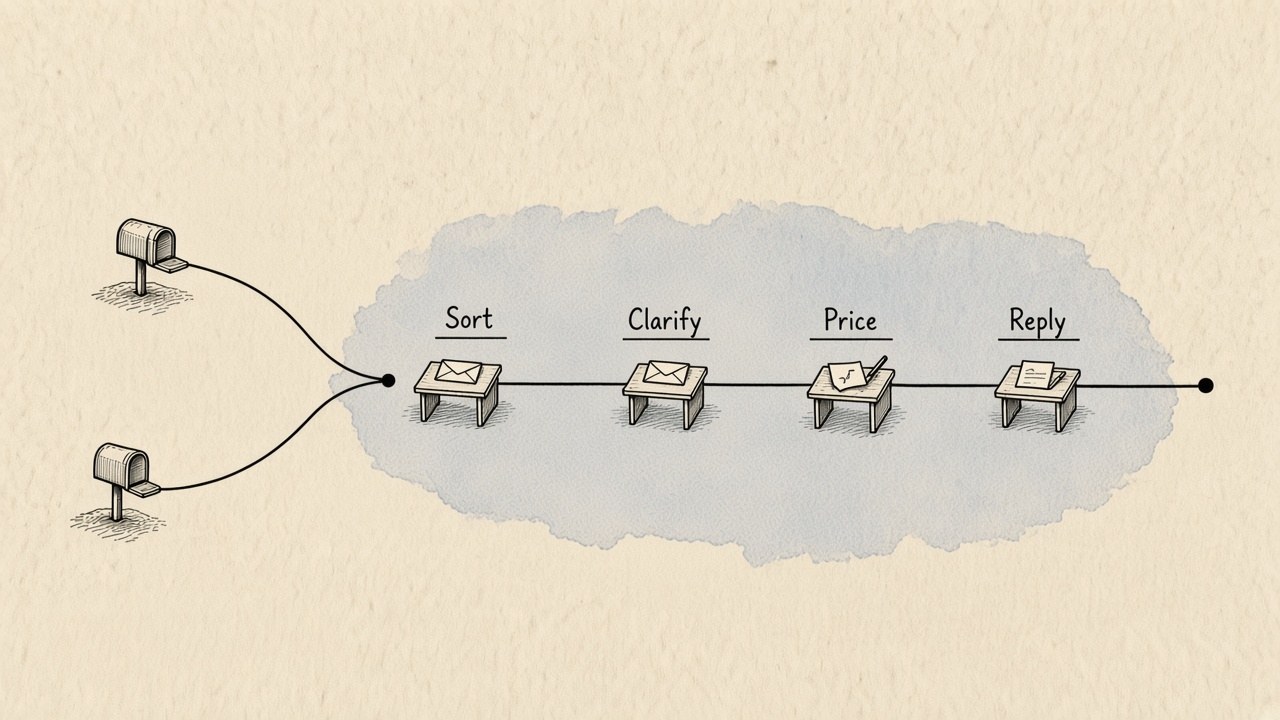

About five minutes after connecting, new emails start appearing, with requests sorted by type. Open a quote request or RFQ and you can see what the customer has provided and what's still missing.
Say a customer asks for a price on two 40HC containers from Shanghai to Valencia but forgets to include the cargo-ready date. FreightBy.ai flags the missing information. It may suggest a possible value based on the available context, but it won't treat that suggestion as a confirmed fact. Your AI teammate prepares an email asking the customer to confirm the date, and the draft is there for you to review, edit and send.
We don't ask you to turn on an AI agent and immediately trust it with your customer conversations. You start by doing the work yourself, with the system helping along the way. It sorts the requests, identifies missing information and prepares replies, and you decide what actually gets sent. At first you may edit most drafts. Over time you change less, and some replies go out exactly as the AI wrote them.
We track that too. You can see how many replies were sent without edits, so you have something concrete to look at instead of guessing whether the system is ready. When you're comfortable with a particular step, you can enable automation for it, and those emails go out without waiting for your approval. If the results stop matching how you want to work, you can switch back.
You don't have to automate everything at once. You can keep some steps entirely manual, let the AI handle others, and work together on the rest.
That's how we think about automation at FreightBy.ai: it isn't a switch you flip on day one. It's the point at which you notice the system is already doing the job the way you would.
Want to see how we built this? Book a demo — thirty minutes with a founder, on the live product.